Baran Shajari
Human–AI Research & UX/UI Design
Toronto, Canada

Human–Robot Piano Tutor
Designed and evaluated a child-friendly piano-teaching robot, progressing from low-fidelity concepts to a high-fidelity interactive prototype. Usability testing with children helped refine the robot’s interface, feedback, and overall learning experience for future use as a musical learning assistant.
2025-2026
Overview
I designed and evaluated a child-centred robot-assisted piano learning experience intended to support young learners during independent practice.
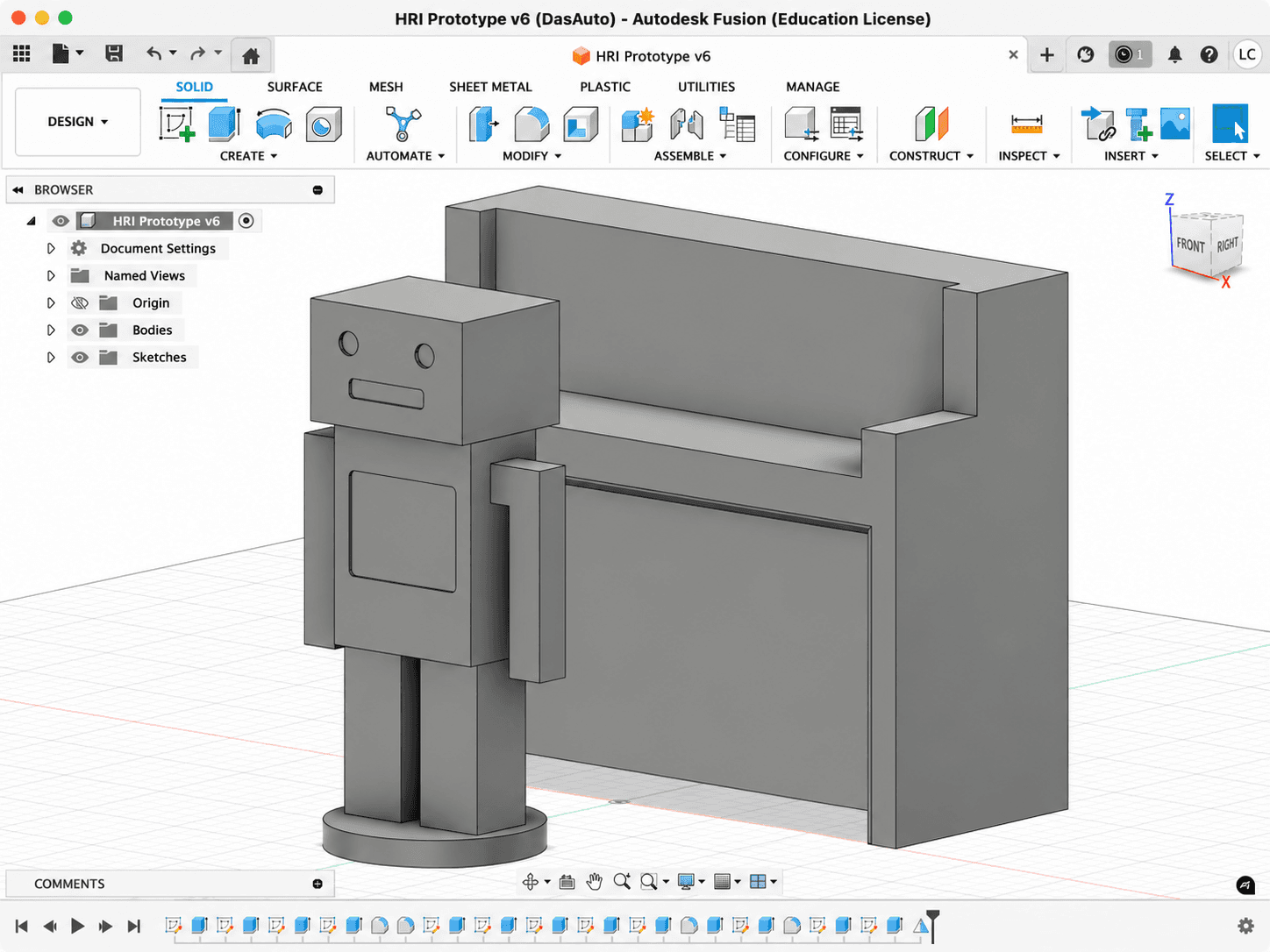
The project combined a low-fidelity physical robot, a functional iPad prototype, usability testing, observation, and interviews to explore whether real-time feedback and embodied interaction could improve engagement, motivation, and learning efficiency.
The problem
Young children often struggle to practice piano independently between lessons. They may forget what they learned, lose motivation, become frustrated by mistakes, or rely on parents who may not always be available to help.
This project explored how a friendly semi-humanoid robot could act as a supportive practice companion rather than a strict evaluator. The experience was designed to initiate practice, recognize musical notes, provide encouraging feedback, and guide children when they made mistakes.
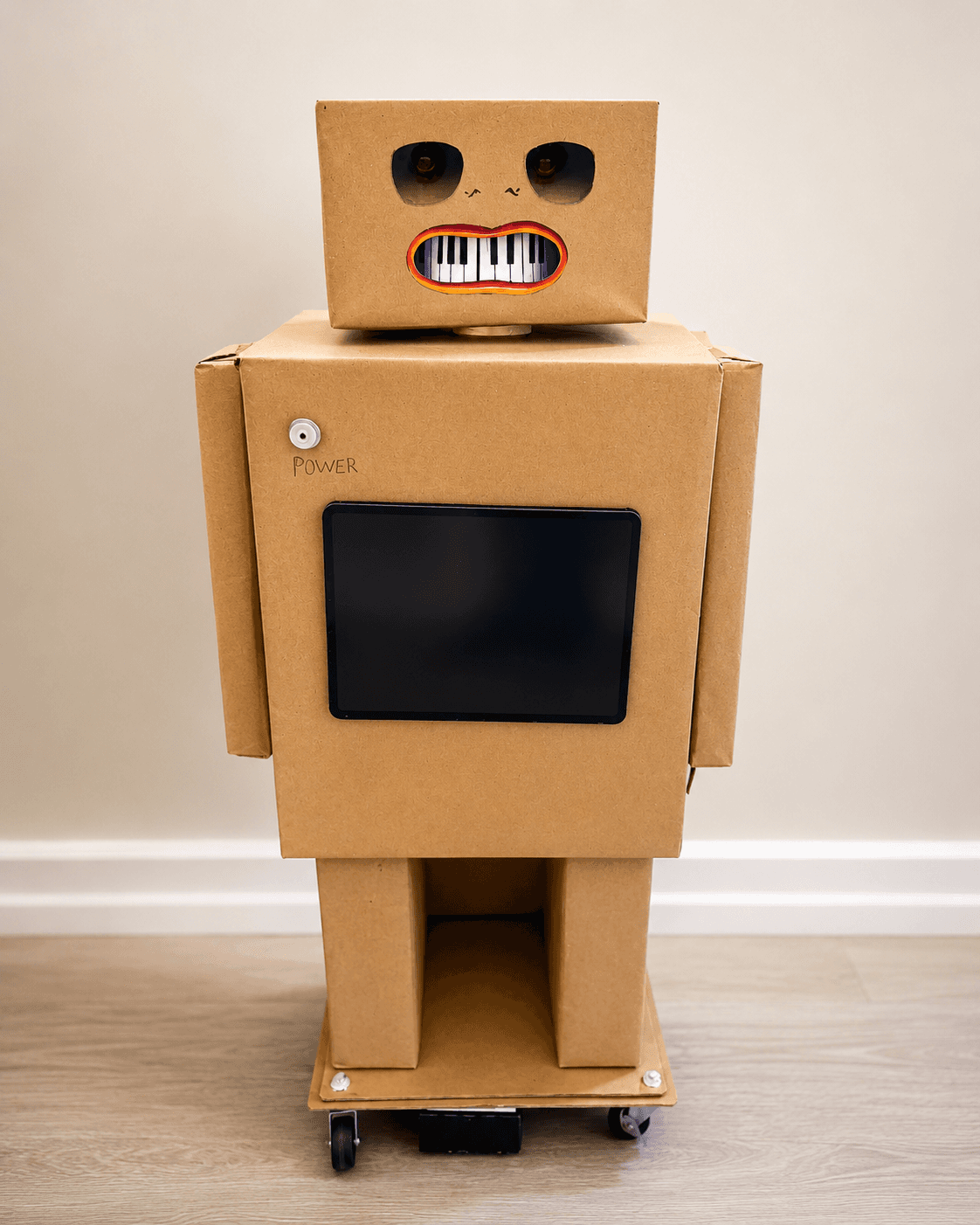
The project combined physical and digital prototyping. We created a low-fidelity cardboard robot named Ray to test size, presence, appearance, and interaction placement beside a piano. We also developed an iPad prototype that simulated note recognition and real-time feedback. Together, these prototypes allowed us to test the overall experience before investing in advanced robotics hardware.
The main UX question was: Can interacting with a robot make independent piano practice feel more understandable, engaging, and supportive for young children?

Research and discovery
We began with a review of research on child learning, music education, social robots, robot tutors, feedback design, and embodied interaction.
The research highlighted several important UX principles:
Immediate feedback supports learning.
Children benefit when mistakes are identified quickly and explained in a constructive way.
Tone matters.
Feedback should be encouraging and corrective without making the learner feel judged.
Physical presence can improve engagement.
A robot can point, gesture, maintain attention, and create a stronger sense of interaction than an audio-only or screen-based tool.
Social behaviour must remain balanced.
Friendly expressions and encouragement can increase motivation, but excessive movement or conversation may distract from the learning task.
Simple forms are more appropriate for young users.
The robot should appear approachable and understandable rather than highly technical or visually overwhelming.
These findings informed the prototype's appearance, feedback style, size, interaction flow, and evaluation criteria. The study focused on performance, engagement, motivation, and learning speed.
The solution
The final concept was a child-friendly high fidelity robot prototype named Ray.
Ray was designed to sit beside the piano and support the child through three main interactions:
Starting the session
The robot initiates the experience with a simple invitation:
"Would you like to practise today?"
This reduces the effort required to begin and creates a welcoming tone.
Providing real-time feedback
When the child plays the correct note, the robot responds with encouraging feedback.
When the child makes a mistake, the robot provides a gentle correction rather than a negative judgment.
Supporting error recovery
If the child repeatedly struggles, the robot offers clearer guidance, such as identifying or pointing toward the correct note.
The physical prototype established the robot’s scale, appearance, and position. The iPad prototype simulated note recognition and feedback. This hybrid approach allowed us to evaluate the full experience without requiring a fully functioning robot.
From a UX perspective, the solution emphasized:
clear and immediate feedback;
simple language;
approachable visual design;
limited cognitive load;
supportive rather than evaluative behaviour;
and a balance between social engagement and task focus.
Reflection
This project taught me that designing for children requires more than simplifying an adult interface.
Young users respond strongly to tone, personality, physical presence, and immediate feedback. The robot’s value was not only that it could identify mistakes. Its supportive presence helped make the practice experience feel less solitary and more interactive.
The low-fidelity prototype was especially valuable. Although the cardboard robot could not move or recognize notes on its own, it allowed us to test important UX questions early:
Was the robot the right size?
Did it feel approachable?
Where should it be positioned?
Would children look toward it naturally?
Did the interaction feel supportive or distracting?
Combining the physical robot with the iPad prototype also reinforced the importance of testing an experience before building the final technology. We were able to evaluate the interaction concept without needing advanced sensors, motors, or robotics hardware.
The usability sessions showed that children did not treat the robot as a passive object. They looked toward it for validation, listened to its feedback, and attempted to engage with it socially. This demonstrated how embodiment can influence attention, motivation, and trust.
The project strengthened my interest in designing human–robot interactions that feel useful, understandable, and emotionally supportive—not simply technically impressive.